To outline the idea of the events we use some simple C# code:
OnReportState:
This event is triggered before and after a group is started. You use it to move to the next data record or initalize a query. Here we simply use the Count property to abort after 10 rows.
private void wpdllInt1_OnReportState(
object Sender, string Name,
int State, WPDynamic.IWPReportBand Band,
ref bool Abort)
{
if (State==WPDynamic.commands.REP_BeforeProcessGroup)
Abort = Band.Count>10;
else Abort = false;
}
OnFieldGetText:
This event is triggered to fill in field data. It is the same as the one for the regular mail merge. Here we simply print an incremented number.
static int a;
private void wpdllInt1_OnFieldGetText(object Sender, int Editor,
string FieldName, WPDynamic.IWPFieldContents Contents)
{
Contents.StringValue = Convert.ToString(a++);
}
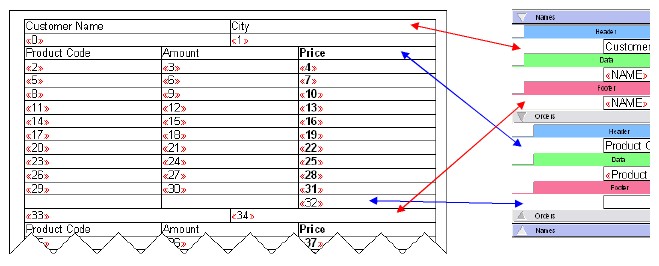
The image shows the result
In the following chapter we show some real word MS Access code.