Note: The function TParagraph._IsWidth_tw returns the current width of a cell in twips. Please note that this function requires the text to be formatted.
Example 1)
In this example we do not only set the width of a certain column but adjust the width of the parent table to fit in all columns:
var cellwidth_tw, newwidth_tw : Integer; // Twip Values!
par, cell, row : TParagraph;
begin
// cellwidth_tw := WPValueEdit1.Value; // Use a WPValueEdit to enter the number
cellwidth_tw := WPInchToTwips(2.5) // use a fixed INCH value
row := WPRichText1.TableRow;
cell := WPRichText1.ActiveParagraph.Cell;
if (row=nil) or (cell=nil) then
ShowMessage('Please position the cursor in a cell!')
else
begin
// Calculate current width of all columns
newwidth_tw := 0;
par := row.ChildPar; // this are the cells in this row
while par<>nil do
begin
if par=cell then inc(newwidth_tw, cellwidth_tw )
else inc( newwidth_tw, par._IsWidthTw );
par := par.NextPar; // Sibling cell !
end;
// Make sure we do not use % values !
row.ParentTable.FixAllCellWidths(0);
// Assign TWIPS value to THIS column
cell.ASetColumn(WPAT_COLWIDTH, cellwidth_tw);
// And set the table width to fit all coluns
row.ParentTable.ASet(WPAT_BoxWidth, newwidth_tw);
// Reformat
WPRichText1.DelayedReformat;
end;
end;
Example 2)
This extended example creates an array of TWPValueEdit controls in a scrollbox to let the user see and adjust the width of each individual column:
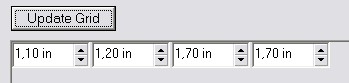
// This is the UpdateGrid procedure
procedure TForm1.UpdateWidthGridClick(Sender: TObject);
var i: Integer;
cell, row: TParagraph;
ctrl: TWPValueEdit;
begin
// Empty the scrollbox
for i := ScrollBox1.ControlCount - 1 downto 0 do
with ScrollBox1.Controls[i] do
begin
Parent := nil;
Free;
end;
// Fill the scrollbox
row := WPRichText1.TableRow;
cell := WPRichText1.ActiveParagraph.Cell;
if (row = nil) or (cell = nil) then
ShowMessage('Please position the cursor in a cell!')
else
begin
// Make sure we do not use % values !
row.ParentTable.FixAllCellWidths(0);
// Create ColCount edits:
for i := 0 to row.ColCount - 1 do
begin
ctrl := TWPValueEdit.Create(ScrollBox1);
ctrl.Left := i * 80;
ctrl.Width := 78;
ctrl.Parent := ScrollBox1;
ctrl.Tag := i; // ColNr
ctrl.UnitType := euInch; // euCm for Centimeters
ctrl.Value := row.Cols[i]._IsWidthTw;
ctrl.OnChange := CellValueEditChange;
end;
end;
end;
// OnChange event handler for each TWPValueEdit in array
procedure TForm1.CellValueEditChange(Sender: TObject);
var i, w: Integer;
cell: TParagraph;
begin
if WPRichText1.TableRow <> nil then
cell := WPRichText1.TableRow.Cols[(Sender as TWPValueEdit).Tag]
else cell := nil;
if cell <> nil then
begin
// Calculate sum of all width
w := 0;
for i := 0 to ScrollBox1.ControlCount - 1 do
inc(w, TWPValueEdit(ScrollBox1.Controls[i]).Value);
// and apply to table
cell.ParentTable.ASet(WPAT_BoxWidth, w);
// and apply to column
cell.ASetColumn(WPAT_COLWIDTH, (Sender as TWPValueEdit).Value);
// Reformat
WPRichText1.DelayedReformat;
end;
end;