

WPTools 5.14 is now available for registered customers. It includes a lot of large and small fixes to improve the handling.
The copy&paste in tables now work more spreadsheet like.
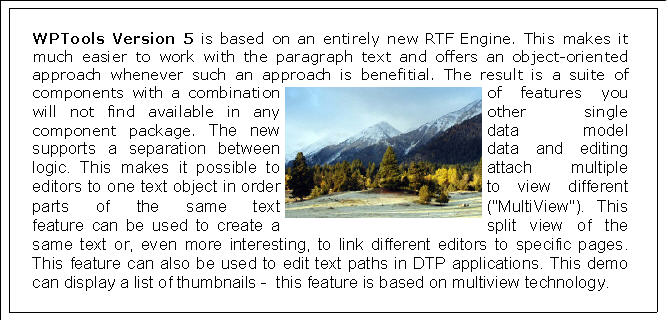
Word wrap around images work a lot better now, also in combination with justified text!
8.4.2005 V5.0 RELEASE 14.1
++++++++++++++++++++++++++++++++++++++++++++++++++++
- new procedure: SelectWord to select word at cursor position
- changed SelText property - now uses optimized function insetad of general writer class
- changes in ruler did not update (reformat) the text. This needed to be fixed quickly.
++++++++++++++++++++++++++++++++++++++++++++++++++++
- improve import of V4 mail merge templates. In RTF reader (wpioreadrtf.pas) the $DEFINE FIXUP_V4_FIELDS
enables that trailing >> and ] are automatically removed.
- WPPremium: fixed bug in copy&paste of footnotes
- WPPremium: cursor movement within ootnote blocks using cursor up/down
- WPPremium: fixes to footnote format routine
- WPREPORTER: fix to merge fields in second table row of a band
- "image under text" option in graphics menu of default actions
- cursor movement within visible header/footer blocks using cursor up/down and mouse click
- improvements to the handling of forms (see demo: EditFields)
- added WriteObjectModes: wobRTFNoBinary and wobStandardNoBinary if you need to save to database MEMO fields
- improved format routine to support better text wrap around images + text justification
- Revised border dialog. (All properties are undefined by default, can be changed individually)
- LoadFromFile, LoadFromStream now loads header/footer even if there is a body text defined
(the function IsE,mpty) has been updated
- several fixes to stream sections in RTF and WPTOOLS format
- the property WPAT_ProtectedPar is now also checking attached styles and parent table/rows
- copy&paste, Drag&drop now automatically tries to not create orphan field opening/close tags
- added support for IME editor
- the ruler now alows it to change the left indent only
- bug fix: space before + page break
- improved RTF reader: load bookmarks in table cell bug fixed.
- possibility to ignore font, font sizes when reading/pasting text
- better update of WPComboBox
- fix for WPTOOLS reader when fields params were enclosed in [ ] signs
- possibility to have a tabstop before the left indent
- new handling of font names in RTFPros object (list instead of array)
- changed logic of Ctrl+Left/Right to jump to start of word instead of end of word
- font charset load&save in RTF format
- several improvements to cursor positioning in forms (ProtectedProp=[ppAllExceptForEditFields])
- new RTF writer option: "-nonumberprops" - in RTF the numbers are saved as regular text
- new writer option: "-nomergefields," - merge fields are not saved, just the embedded text
- new writer option: "-nohyperlinks" - hyperlinks are not saved
- new writer option: "-nobookmarks" - Bookmarks are not saved
- new RTF reader option: "-ignorerowmerge" - ignore the combine rows RTF tag
- procedure 'FastAppendText' is now a function. If the optional parameter 'AsNewSection' is true
this function will return the reference to a new section property object.
- linked images are now saved with width/height (Word still ignores the \w \h parameters)
- the following functions have been added, they now include table cell handling:
function DeleteParWithCondition(Condition: TWPCheckParagraph) : Boolean;
function DeleteParWithEmptyFields : Boolean;
function DeleteParWithText(const FindText: string) : Boolean;
function DeleteTrailingSpace(EmptyFieldsToo: Boolean): Boolean;
function DeleteLeadingSpace(EmptyFieldsToo: Boolean;InFirstPar : Boolean = TRUE): Boolean;
- ... lots of small fixes to improve overall perfomance and reliability