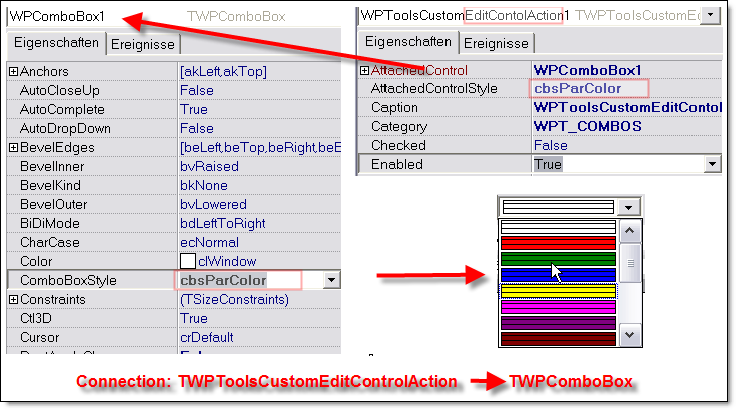
I put a TWPComboBox (ComboBoxStyle = cbsColor) on form and a TWPRichText.
On create of form I did:
WPComboBox1.FRtfEdit := WPRichText1;
When I select some text and choose a color on combo the color of text change rightly, but how to update the WPComboBox with the current attribute color? I tried:
procedure TForm1.WPRichText1ChangeCursorPos(Sender: TObject);
begin
  WPComboBox1.Color := WPRichText1.CurrAttr.Color;
end;
But didn't works.
I need do the same with wpcombox to others styles (font name, font size, font back color, etc...) I need put the wpcombobox in my owner toolbar!
a TWPComboBox can be attached to a TWPRichText using the TWPToolsCustomEditContolAction action class.
This action class is created in the ActionList and its property AttachedControl is set to the TWPComboBox instance you need to attach. The property AttachedControlStyle to select the functionality is not used for TWPComboBox - they have their own property ComboboxStyle for the same purpose.