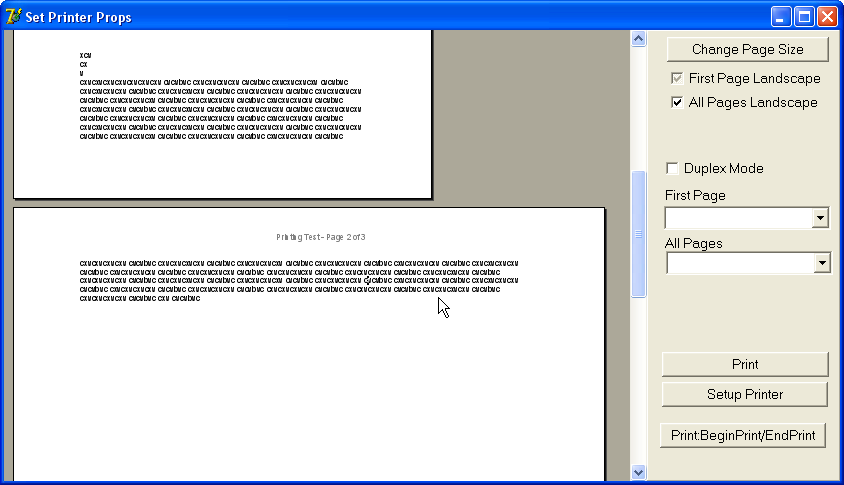
Looking the program \WPTools5\Demos\Tasks\PrinterSetup , I see that I can define more than one layout in the document, but I'd like the document had many orientation and in the example has only 2 orientation.
I have made tests, but in the example it do a refresh in the document and reformat the document all , so I can't do more than 2 layouts in the document
I use the event onMeasurePage, and looking to your example \WPTools5\Demos\Tasks\PrinterSetup and setting the "First Page Landscape" as unchecked and the "All pages Landscape" as checked, the example will leave the first page as Portrait and the others as landscape, but if you keep typing in page 2 you will see that the line broke is equal the landscape page, there's an image with an example.
To reproduce the error, open the program and change the option "First page landscape" to unchecked and "All Pages Landscape" to checked. Then go directly to page 2, without pressing enter on page 1
Thanks
#6♥ 0
This category is archived. No new posts are possible.