TextDynamic™
This text control is not only a powerful replacement for the .NET richtextbox (richedit DLL) but a complete and full featured word processing component. It can be used with and without its integrated toolbar. Where you can use TextDynamic™:
|
|
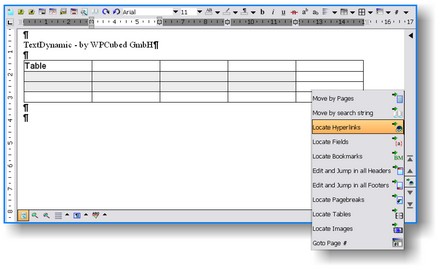
What you can do with TextDynamic:
| • | Process RTF, ANSI, UNICODE and/or HTML texts |
| • | Edit data base memo fields with simple or formatted text |
| • | Prepare and send e-mails using the interface IWPMapi. |
| • | Use complete word processing with page layout view, 100% WYSIWYG, header&footer, cascading style sheets (CSS) |
| • | Use integrated spell check |
| • | Work with powerful mail merge (insert and replace formatted text and images) |
| • | Create documents under program control |
| • | Use reporting (= mail merge with bands) |
| • | Use Memo.LabelDef to create, edit and print labels. |
| • | Convert RTF to PDF using the integrated PDF converter. The PDF exporter is now now also able to attach data. |
| • | Export HTML to PDF |
The central part is the component WPDLLInt.
Finally there is an editor component available which is available for a wide range of programming languages (VB6, .NET) and completely customizable. You can use it without the internal toolbars or use XML scripts to create the toolbars according to your needs. TextDynamic provides all state of the art word processor features, including full header/footer support, sections to have different page sizes in one document, tables, nested tables and a multitude of character and paragraph attributes. Optionally footnotes and text boxes (text frames) are supported.
The TextDynamic component package include support for .NET (Framework 1.1 and 2) and also for Access or Visual Basic 6. So you can, at no additional cost, support your legacy applications.
TextDynamic .NET and the OCX work in a very similar way, the interfaces are as interchangeable as possible. But the .NET interface contains some additional features for tight integration, such as the ability to use .NET streams and .NET pictures. So if you have a picturebox with a PNG image loaded, the PNG data can be transferred to the text without any conversion necessary.
But also the OCX has a speciality, using the proerty editor for user defined properties you can load an XML script which configures the editor without the necessity to write a single line of code. This makes it very easy to use the text control in Access since you only have to drop the control and use the property editor.
Since the .NET interface was written in native, managed C# code there is no requirement to ship any OCX with your application. It is not required to modify the registry, simply install the kernel DLL and the assembly DLL into the directory where your dotNET application is installed as well.
Link to the main class in TextDynamic: WPDllInt, this are the main two interfaces published as "Memo" and "Memo.TextCursor".