WPCubed GmbH
Wordprocessing and PDF components
WPCubed GmbH
Wordprocessing and PDF components
WPCubed provides word processing and PDF components for developers using Delphi and .NET. Our components are designed to handle various types of text formats like RTF and DocX, as well as to view, print, and edit PDF files. Support is offered in English and German.
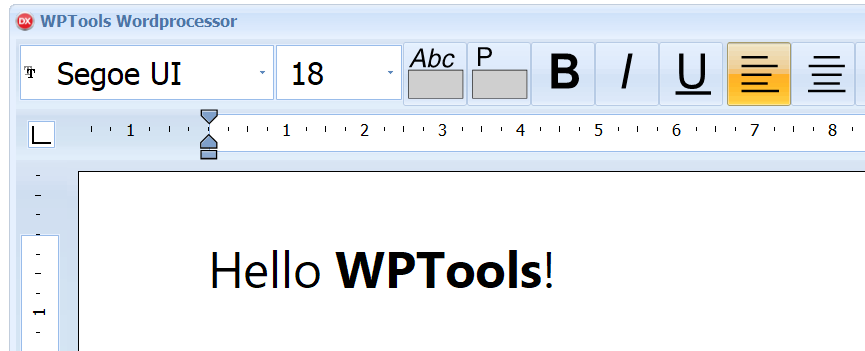
WPTools is a comprehensive word processing control for Delphi and C++Builder. It provides a true WYSIWYG experience without adding excessive weight to your program. It can handle various file formats such as RTF, HTML, text, and its own native format. Additional features such as DocX import and export, spellcheck and also PDF export using the wPDF component are available as add-ons. WPTools also includes a transparent label component that functions as a TGraphic control.
The latest version includes improved adaptation to high DPI monitors and an enhanced support for VCL scaling. This enhancement was enabled by the integrated SVG support that optimizes the rendering of icons on the ruler and toolbar component. With the new version 9.4 images in the toolbar can be rendered as vectors. We also added a very versatil TWPSvgButton which can be used anywher in your application to spice up the user interface. If you have been utilizing an older version of WPTools, prepare to be astonished by the minimal effort required to deploy a significantly improved version of your software to your clients.
WPTools reliably supports editable headers and footers in its page layout mode. Zooming, splitscreen, emoticons incl. skin tone modifiers, tables - including the possibility of page breaks inside table rows - and a powerful concept with a CSS-like paragraph style are supported by the modern architecture.
Optional support for footnotes, columns and text boxes is available in the Premium Edition. This edition also includes our spellchecker WPSpell.
WPReporter
This is an add-on to WPTools for easily creating lists and reports. It supports nested groups as well as header and footer bands. In contrast to many other reporting solutions you can create a document that can be edited directly in the word processor. Enhancements have been made to WPReporter, which now allows the addition of custom string variables to bands.
Table Producer
Do you need to present the results of a database query to your end user in list form?
Need to print a complicated list or table? Use the dynamic tables in WPTools so that your user can browse the results of the query, change the appearance of the table and the data cells as needed and print the final result as WYSIWYG.
BTW: The website you are visiting right now has been created by a program which utilizes WPTools: documentArray. This program also uses WPReporter and the XML units included in the WPTools package to create HTML code from data stored in a database and rules stored and XML and WPReporter templates.
WPCubed also offers you powerful PDF tools, allowing you not only to create new PDF files, but also to view, print and manipulate existing PDF files. The PDF creation VCL integrates perfectly with WPTools and also with many other reporting engines. This is because internally it is based on a universal metafiles (EMF) to PDF converter. Use WPViewPDF not only to view and print PDF files, but also to arrange pages, extract text, add stamps, make annotations and much, much more.
WPViewPDF is a powerful PDF-viewer component to display and print PDF files. It can be used with Delphi, C++Builder, .NET, VB and other IDS. You will need a PDF viewing component if you want to embed a PDF display into your application or if you need to load PDF data from memory. For example, use our WPViewPDF viewer to display digital copies of files which were printed by your application. Our tools integrate seamlessly and ideally are used together (wPDF, TextDynamic, wPDFControl) to create the PDF data to be displayed. Nevertheless, WPViewPDF also works with many other PDF creators.
WPViewPDF PLUS is also able to append PDF files, apply stamps and delete or reorder pages. With WPViewPDF PLUS your PDF forms can be filled interactively: The user can edit the text fields and click the checkboxes. Includes adding text highlight annotations, popup annotations, text annotations and also adding new text fields widgets and data fields to create data forms. PDF drawings and watermarks which are read from other PDF files, can be added to selected pages or the entire document.
You can now license the WPViewPDF Plus source code for Delphi. Please ask for conditions.
(Note: While the Standard Edition can be used to view and print PDF files, the PLUS edition also allows you to write PDF files.)
PDF Creator VCL (Delphi, C++Builder)
The VCL product wPDF was one of the first to offer a drawing surface (TCanvas) to create PDF files using standard GDI methods. The vector drawing and text are not converted to a bitmap, but are preserved in PDF format. This avoids quality loss when PDF files are printed and reduces the size of the files as well. wPDF is also able to create "Type 3" fonts, thus helping to keep your PDF files smaller. This is especially useful with Asian fonts since only the actually gylphs used are embedded.
PDF creation for .NET, ActiveX (Visual Studio)
The product wPDFControl implements our reliable wPDF technology and can be used with Win32/Win64 .NET applications. An OCX is included for use in Visual Basic programs. Since the engine DLL can be accessed using the provided C++ header files you can also use it in VC applications without the need to import an ActiveX interface. wPDFControl Version 4 supports encryption, compression and font embedding, also for type3 fonts. You can use it to convert metafiles (EMF) to PDF or use its device handle (HDC) with standard GDI API calls.
Word processing DLL
Our word processing engine is not based on the Windows® "Richedit" DLL, but has been created from scratch using optimized code. Consequently it does not require any 3rd party DLLs to operate. Additional options include internal spell checking, reporting and optimized PDF export (which preserves links and bookmarks).
TextDynamic® 7 is a royalty-free word processing and reporting control which can be embedded into applications. The new version 7 includes a 32-bit and 64-bit word processing engine DLL. TextDynamic7 also includes a managed .NET wrapper DLL (C# source code is included in the full version). This component can be used in WinForm applications developed with .NET development tools, such as VisualStudio. Also included in the price is an 32-bit ActiveX edition to use TextDynamic7 in VC, Visual Basic 6, and MS Access. Furthermore, you can use TextDynamic7 in C++ Projects without any wrapper. Simply link an easy-to-use method into the engine DLL and you get a fully functional editing window.
wRTF2PDF / TextDynamic Server is based on the PDF engine wPDF, but also inherits the word processing power of TextDynamic. It is a powerful tool to create documents on a server, not only in PDF format but also as HTML, XML, RTF and now also DocX.